Illustration Brushes: Procreate Tools for Authentic Art
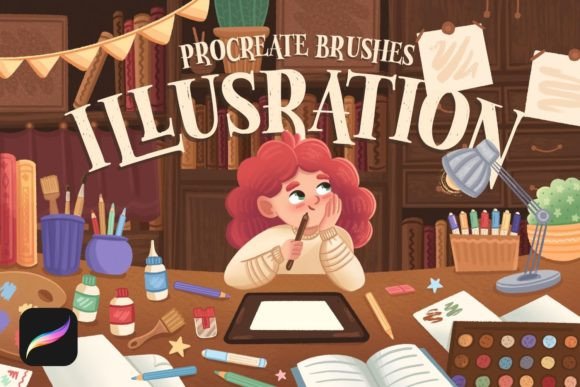
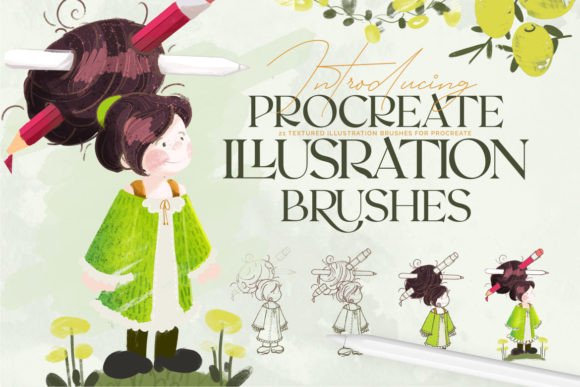
There's a certain magic in a hand-drawn illustration that digital tools sometimes struggle to capture. The slight grit of a pencil, the imperfect ink bleed, the textured wash of a marker—these are the details that give artwork soul. For Procreate users, especially those creating for children's books, editorial projects, or retro branding, finding the right digital brushes to mimic this authentic feel is a game-changer. This is precisely where the Illustration Brushes: Procreate set comes into its own, offering a curated collection of 21 texture brushes designed to bring a tangible, crafted quality to your iPad artwork.
More Than Just Lines: The Personality of These Brushes
Forget the sterile, uniform lines of default digital brushes. This collection is built around texture and character. Each brush in the Illustration Brushes: Procreate set is engineered to respond intuitively to the pressure and tilt of your Apple Pencil. You'll find brushes that simulate the scratchy grain of charcoal, the varied opacity of dry media, and the soft, granular blend of a textured paintbrush. This pressure sensitivity isn't a gimmick; it's fundamental for creating dynamic, expressive work. When you press harder for a bolder stroke or lighten your touch for a delicate hairline, the brush responds naturally, making it perfect for both detailed illustrations and fluid hand lettering.
The visual appeal lies in their authenticity. These aren't generic texture overlays applied after the fact. The texture is integrated directly into the brush stroke, meaning your linework and shading have an inherent, consistent grit from the moment you lay it down. This creates a cohesive style that feels intentionally crafted, whether you're drawing a whimsical character for a children's book or designing a vintage-inspired logo.
Practical Applications: Where Texture Tells the Story
The true value of a design asset like the Illustration Brushes: Procreate set is measured by its versatility. This isn't a one-trick pony for a single niche. Its strength lies in its ability to adapt across a wide spectrum of creative and commercial projects, helping you build a distinct visual voice.
- Children's Book Illustration: This is a natural home for these brushes. The soft textures and gentle grain evoke a sense of warmth and handcraft that resonates perfectly with young audiences and their parents. Use them to create friendly characters, textured landscapes, and backgrounds that feel like they were painted with real, tactile materials.
- Branding & Logo Design: For brands aiming for an artisanal, approachable, or retro identity, these brushes are invaluable. They can be used to create textured logo marks, monograms, or wordmarks that stand out from the clean, vector-driven crowd. Think craft breweries, boutique bakeries, independent bookshops, or eco-conscious product lines. The texture communicates authenticity and care.
- Editorial & Packaging Design: Add visual interest to magazine layouts, book covers, or product packaging. Use a textured brush for chapter headings, spot illustrations, or decorative borders. The consistent style across the 21 brushes ensures your brand identity remains cohesive, even when using multiple textures.
- Digital Content & Social Media: Break through the digital noise with graphics that feel human-made. Create engaging social media graphics, unique blog post headers, or eye-catching video thumbnails. The handmade quality is inherently more engaging and shareable in a feed dominated by slick, corporate imagery.
- Hand Lettering & Typography: The pressure-sensitive nature of the brushes makes them a standout tool for letterers. You can achieve beautiful thick-to-thin transitions and textured fills within your letterforms, adding a layer of depth and artistry that standard script fonts or handwritten fonts can't replicate. It allows you to create truly custom typographic elements.
Integrating Texture into Your Workflow: A Practical Guide
Adopting new design assets should streamline your process, not complicate it. Here’s how to think about incorporating the Illustration Brushes: Procreate set effectively.
First, consider your project's goal. Are you aiming for a soft, storybook feel or a gritty, urban sketch look? Browse the 21 brushes and test a few on a scrap canvas. Notice how each one interacts with your stroke speed and pressure. Often, the best approach is to use two or three complementary brushes from the set—one for main linework, another for shading or texture fill, and perhaps a third for fine details. This creates depth without visual chaos.
Next, think about font pairing if your project involves text. The organic nature of these brushes pairs beautifully with both serif and sans-serif typefaces. A clean, modern sans-serif font can provide a striking contrast to a textured illustration, while a classic serif font can complement its traditional, crafted feel. The key is balance: let the texture be the star, and use typography to support it, not compete with it.
Finally, remember the technical requirements. These are premium font equivalents in the brush world—they are optimized exclusively for Procreate with an Apple Pencil or compatible stylus. They will not function in Photoshop or Illustrator. This specialization is what allows for their superior performance and nuanced response within the Procreate ecosystem. Installation is straightforward: download the .zip file, and a single tap on the .brushset file inside will import all 21 brushes directly into your Procreate library, ready for immediate use.
Ultimately, the Illustration Brushes: Procreate set is less about following a trend and more about equipping yourself with tools that expand your creative vocabulary. It provides the means to infuse digital projects with the warmth, imperfection, and personality of traditional media, helping you create work that feels genuinely connected to the viewer. For any designer, illustrator, or content creator looking to elevate their Procreate work beyond the purely digital, this collection offers a practical and powerful solution.