Outline Procreate Brushes: Instant Dual-Color Lettering
Creating standout lettering on your iPad often involves multiple steps: sketching the outline, filling the shape, and meticulously adding color. This process can slow down your creative flow, especially when you're working on tight deadlines for social media graphics or client projects. The Outline Procreate Brushes collection changes this dynamic entirely. It’s not just a set of drawing tools; it's a workflow accelerator designed for digital artists, content creators, and entrepreneurs who need professional-looking results without the tedious layer management.
The Anatomy of Efficient Digital Art
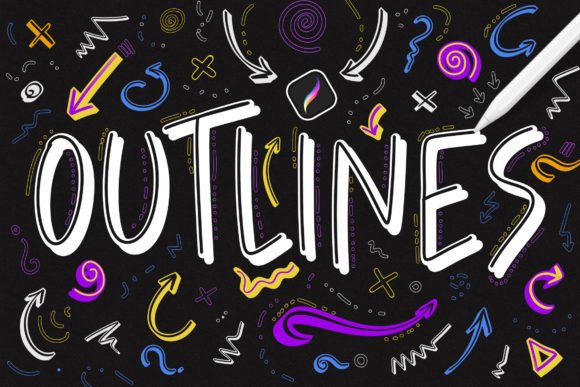
At its core, this collection is built on a simple but powerful premise: you can create a two-toned lettering effect in a single stroke. Imagine drawing a bold headline where the outer edge is a deep navy blue, while the interior remains white or filled with a complementary gradient. Traditionally, this requires at least two layers and careful clipping masks. With these Procreate brushes, the effect is baked directly into the brush engine. This is a game-changer for projects where speed is essential, such as designing social media graphics, creating quick mockups for brand identity presentations, or producing consistent content for a blog.
The set includes 124 distinct brushes, categorized into three functional families. The first family offers a classic outline with an empty fill, perfect for creating clean, monochromatic line art or defining shapes before adding texture. The second family introduces gradient outlines, where the stroke itself transitions between colors, adding subtle depth and movement to your lettering without any extra effort. The third and most versatile family contains the two-color brushes. Here, you select a primary color for the outline and a secondary color for the fill. As you draw, the brush automatically applies both, giving you a finished, polished look instantly.
Practical Applications Across Creative Fields
The utility of these brushes extends far beyond simple lettering. For graphic designers and marketers, they are invaluable for creating eye-catching quotes, promotional banners, and website call-to-action buttons. The ability to produce a crisp outline with a solid fill makes text pop against busy backgrounds, enhancing readability and visual hierarchy. Consider using them for packaging design mockups where you need to quickly visualize how text might appear on a label. The pressure sensitivity of the brushes means your lines will have a natural, hand-crafted feel, which is highly desirable in today's market that values authenticity over sterile, computer-generated perfection.
For bloggers, publishers, and content creators, maintaining a consistent visual style is key to building recognition. These brushes help establish a signature look for featured images, pin graphics, or story slides. Instead of relying on standard sans serif fonts or script fonts that everyone uses, you can create custom lettering that becomes part of your brand identity. The Outline Procreate Brushes allow you to mimic the look of a premium font or a custom display font with the flexibility of hand-drawn art. This bridges the gap between modern typography and organic illustration.
Integrating into Your Design Workflow
Getting started is straightforward, which is a relief when you're juggling multiple projects. After downloading the files directly to your iPad, a simple tap on the .brushset file prompts Procreate to install the entire collection. They will appear at the top of your brush library, organized and ready to use. There’s no complicated setup or need to import brushes one by one. This ease of installation means you can go from download to designing in under a minute, a small but critical detail for busy professionals.
When using these brushes, think of them as a component within your larger design assets toolkit. They work exceptionally well when paired with other elements. For example, you might use a two-color brush to create a headline, then switch to a standard serif font or a clean sans serif typeface for body text. This creates a strong font pairing that guides the viewer's eye. The textured, dynamic quality of the brush strokes provides a beautiful contrast to the uniformity of a digital typeface, adding a layer of sophistication to your editorial design or web design layouts.
Making the Most of the Collection
To truly leverage the potential of Outline Procreate Brushes, experiment with the settings. Adjust the streamline and stabilization features within Procreate to suit your drawing style—more stabilization for smoother, slower lettering, less for a more energetic, hand-lettered feel. Play with the color combinations. A bold outline with a pastel fill can evoke a playful, modern vibe, while a monochrome scheme feels more professional and serious. The gradient brushes are particularly effective for creating depth in illustrations or adding a subtle, colorful accent to otherwise minimalist designs.
It's important to remember that these are tools optimized for the Apple iPad and the Procreate application. They are designed to harness the specific capabilities of that software and hardware combination, particularly the pressure sensitivity of the Apple Pencil. This focus ensures peak performance and a natural drawing experience. While they are not compatible with Adobe Photoshop or other desktop graphic editing software, their specialization is their strength. For anyone whose creative process lives within the Procreate ecosystem, this collection is a significant upgrade to their digital toolkit, offering a unique blend of efficiency and artistic expression that can elevate everything from personal projects to commercial client work.