Watercolor Brushes for Procreate: A Traditional Painter's Toolkit
Bringing Authentic Texture to Your Digital Canvas
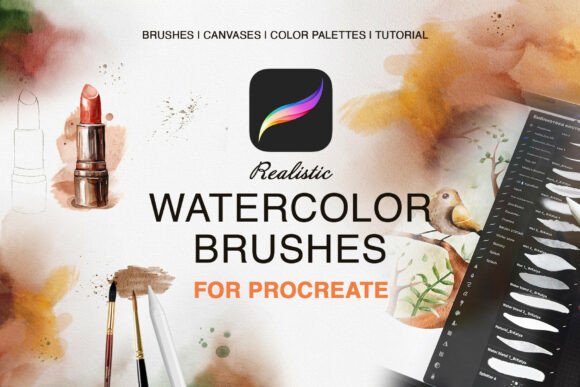
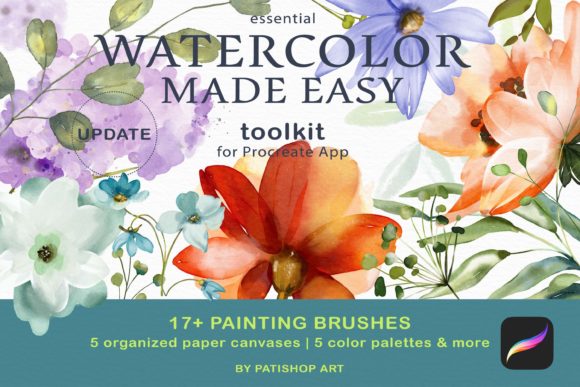
For years, my studio smelled of pigment and paper. As a traditional watercolorist, I loved the unpredictable flow of water, the way colors blended into soft, organic blooms, and the textured grain of the paper itself. Moving to the iPad with Procreate was a game-changer for convenience, but I constantly missed that authentic, tactile quality. That’s why I developed the Watercolor Brushes for Procreate toolkit. This isn't just a random collection of digital tools; it's a bridge between the analog charm of real paint and the limitless potential of digital art.
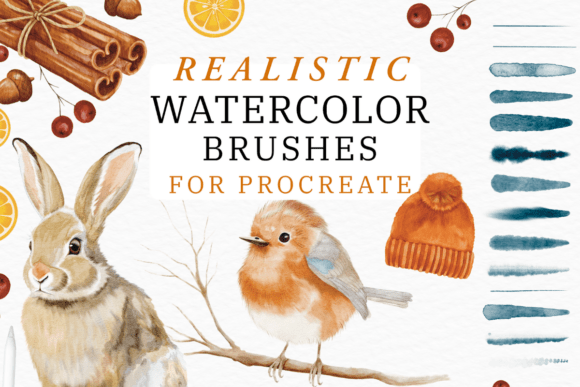
The core of this toolkit is its authenticity. Each of the 17 essential brushes was sampled from high-quality, professional-grade paints and papers. When you load a brush, you're not just getting a shape—you're getting a tool that responds intuitively to the pressure and tilt of your Apple Pencil. The visual character is soft, organic, and beautifully imperfect. You’ll see subtle granulation, natural edge variations, and color dynamics that mimic real pigment settling into paper fibers. This gives your illustrations, patterns, and designs a warmth and humanity that purely digital brushes often lack.
Where This Toolkit Truly Shines: Practical Applications
Understanding where a tool fits best is key to a smooth creative workflow. The Watercolor Brushes for Procreate excel in projects where you want to convey warmth, artistry, and a handcrafted feel. Think beyond just fine art illustrations. This is a powerful design asset for a wide range of professional and personal projects.
For brand identity and logo design, especially for brands in wellness, artisan goods, education, or boutique services, these brushes can create unique, memorable logos that stand out from slick, geometric designs. They are perfect for packaging design—imagine product labels for a candle company or a small-batch tea brand that look like they were painted by hand. In editorial design and publishing, they can be used to create stunning chapter headers, pull quotes, or full-page illustrations for magazines, cookbooks, and children’s books.
Digital applications are endless. Use them to craft engaging social media graphics that feel personal and scroll-stopping, design beautiful blog headers, or create one-of-a-kind wedding invitations and stationery. For web design, watercolor elements can add soft, approachable accents to websites for photographers, florists, or therapists. The included 4800×3600px 300 DPI paper canvases ensure your work is print-ready, making the toolkit equally valuable for creating physical prints, art prints, and merchandise.
Integrating the Toolkit into Your Creative Process
Getting started is designed to be effortless. After installing the .brushset file and the .swatches color palettes, you simply open the included “Watercolor ME” Procreate file. Each canvas is pre-set with a textured paper layer. Your workflow begins on a designated “Paint Here Layer.” This structure is intuitive—you can add more layers for complex compositions without worrying about the background texture being affected. The color dynamic brushes are particularly useful, allowing for subtle shifts in hue and saturation as you paint, just like real watercolors mixing on paper.
While the toolkit is incredibly user-friendly, a few professional tips can elevate your results. Start with the watercolor texture brushes to lay down soft washes and background atmospheres. Then, use the essential painting brushes for your main subjects and details. Don’t be afraid to experiment with the color palettes provided; they are curated to harmonize beautifully. For font pairing in projects like posters or book covers, consider pairing your watercolor illustrations with a clean sans serif font or a elegant serif font. The organic, hand-drawn quality of the watercolor creates a beautiful contrast with structured modern typography, enhancing visual hierarchy and readability.
This toolkit is more than a set of premium font alternatives—it’s a comprehensive creative environment. It’s built for designers, marketers, bloggers, and hobbyists who value the authentic look of traditional media but need the flexibility and efficiency of a digital workflow. Whether you’re building a cohesive brand identity, crafting heartfelt personal projects, or creating commercial art, these brushes provide a reliable, joyful, and visually stunning foundation. The goal was to make the transition from canvas to screen seamless, so you can focus on what matters most: bringing your creative vision to life with beauty and ease.