Foliage & Grass: 60 Realistic Brushes for Photoshop
Bringing Digital Forests to Life
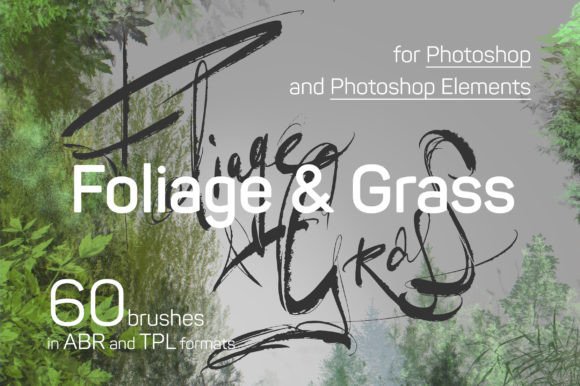
Creating convincing natural environments in digital art often feels like a battle against uniformity. A forest canopy shouldn't look like a copy-pasted texture, and a grassy field needs more than a simple scatter brush to feel alive. The Foliage & Grass Photoshop Brushes set from Eldar Zakirov is built to solve this. It provides 60 distinct presets designed specifically for painting realistic forests, individual leaves, trees, grass, and mosses. This isn't just a collection of random stamps; it's a toolkit for building depth and texture, where each brush is tuned with its own settings for opacity, scattering, and shape dynamics to mimic the organic randomness of nature.
The visual personality of these brushes is one of controlled chaos. They excel at suggesting detail rather than forcing it, which is crucial for believable environments. The strokes have a hand-painted quality, avoiding the sterile perfection of algorithmic generation. Whether you're laying down a broad carpet of undergrowth or detailing the edge of a single oak leaf, the brushes respond with a natural variation that saves time and enhances realism. The set is logically divided into three core categories: 16 presets for tree foliage (Leafs), 15 for on-ground vegetation (Carpet), and 13 for coniferous trees (Conifer), plus additional moss and grass variants. This organization helps you quickly find the right tool for the job without sifting through an undifferentiated list.
Practical Applications Across Creative Fields
The real value of a resource like the Foliage & Grass set is measured in its versatility. For digital painters and concept artists, it's a foundational asset for building environment art. You can rapidly block in a forest scene with the larger carpet brushes, then refine the canopy and foreground with the more detailed leaf presets. The brushes work beautifully in Adobe Fresco, allowing for intuitive, tablet-based painting that feels like working with natural media.
Beyond pure illustration, this toolkit has significant applications in design and branding. A landscape photographer can use them to seamlessly extend a backdrop, adding a lush tree line to a portrait or filling in a barren field. For graphic designers creating materials for eco-friendly brands, outdoor recreation companies, or botanical gardens, these brushes provide authentic texture for logos, packaging mockups, and social media graphics. Imagine designing a logo for a sustainable clothing line; using a textured grass brush stroke as a subtle underline adds an organic, tactile feel that a standard vector shape can't match.
They are equally powerful in editorial and publishing design. A book cover for a fantasy novel or a magazine spread about hiking can gain immense atmosphere from a digitally painted forest border or a mossy texture element integrated into the layout. The brushes help create a cohesive brand identity that feels grounded and connected to the natural world, which is a powerful differentiator in today's market.
Integrating Organic Textures into Your Workflow
Using these brushes effectively requires a shift in mindset from using standard geometric or scatter brushes. Start by understanding the preset list. The provided JPG showing each brush's stroke and name is an essential reference. Don't just grab "Leaf 01"; see if its shape and density suit your intended tree species or lighting condition.
A practical approach is to work in layers. Build your scene from the background forward. Use the broader "Carpet" brushes for distant foliage, reducing their size and opacity to create atmospheric perspective. As you move to the mid-ground and foreground, switch to more defined "Leaf" presets, increasing detail and color variation. Play with the Color Dynamics settings in Photoshop's Brush panel—subtle shifts in hue and saturation between strokes will prevent a flat, monochromatic look.
For projects requiring a more polished, vector-friendly result—like a crisp logo or clean infographic—consider using the brushes as a reference or texture overlay rather than a primary element. You can paint a textured grass shape, then use it as a clipping mask or a layer set to Multiply or Overlay to add organic noise to a solid color fill. This technique bridges the gap between hand-painted texture and the clean lines needed for professional web design or packaging design.
Ultimately, the Foliage & Grass set is a premium font of a different kind—a typeface for nature. It provides the visual vocabulary to articulate complex organic forms with speed and authenticity. By treating these presets as a foundational design asset rather than a simple filter, you can elevate the production value of a wide array of creative projects, from personal artwork to commercial campaigns, ensuring your digital nature feels genuinely alive.